
Check CS2 skin floats,
right in your browser.
Float values, paint seeds, and pattern data appear automatically on every Steam listing and inventory — no clicks required.
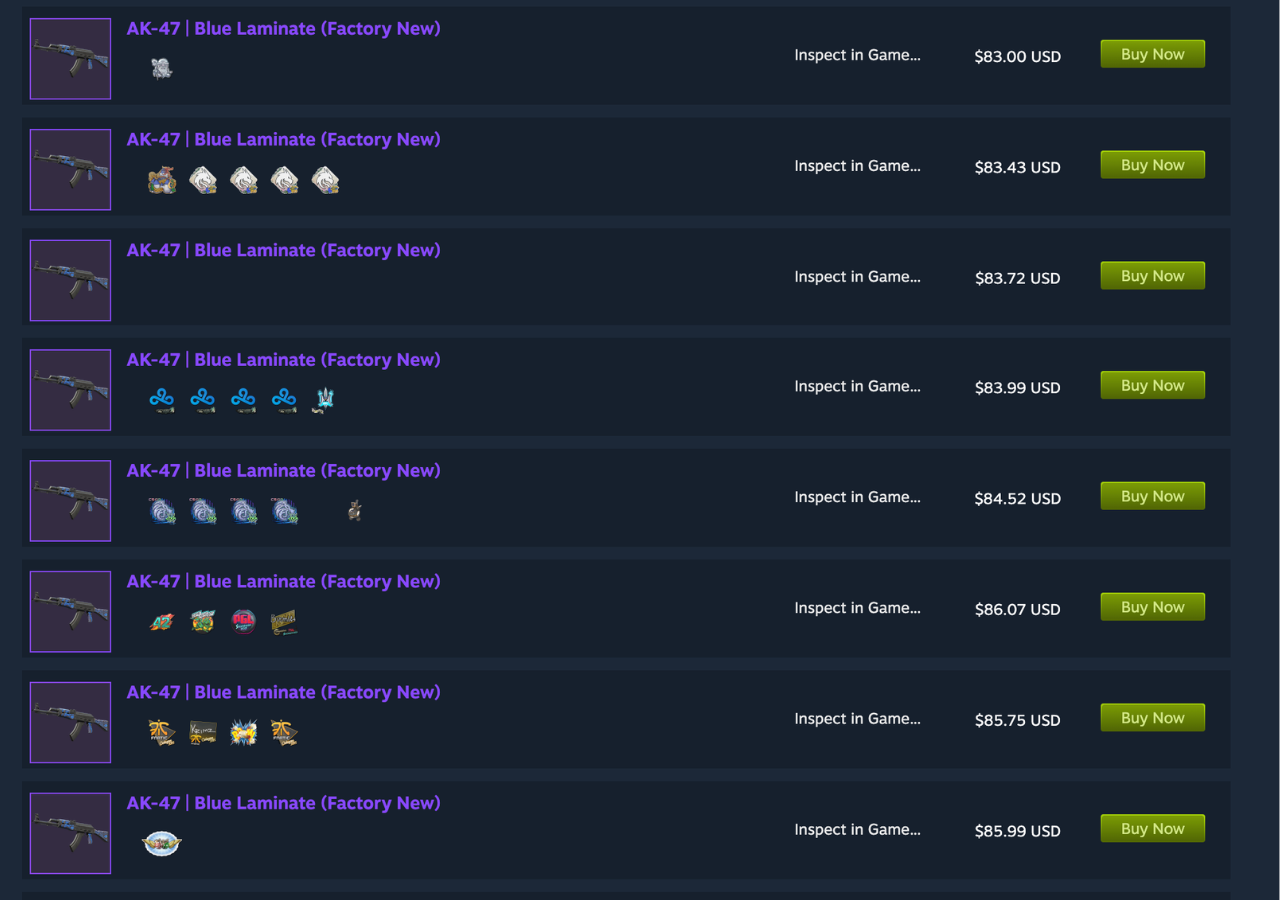
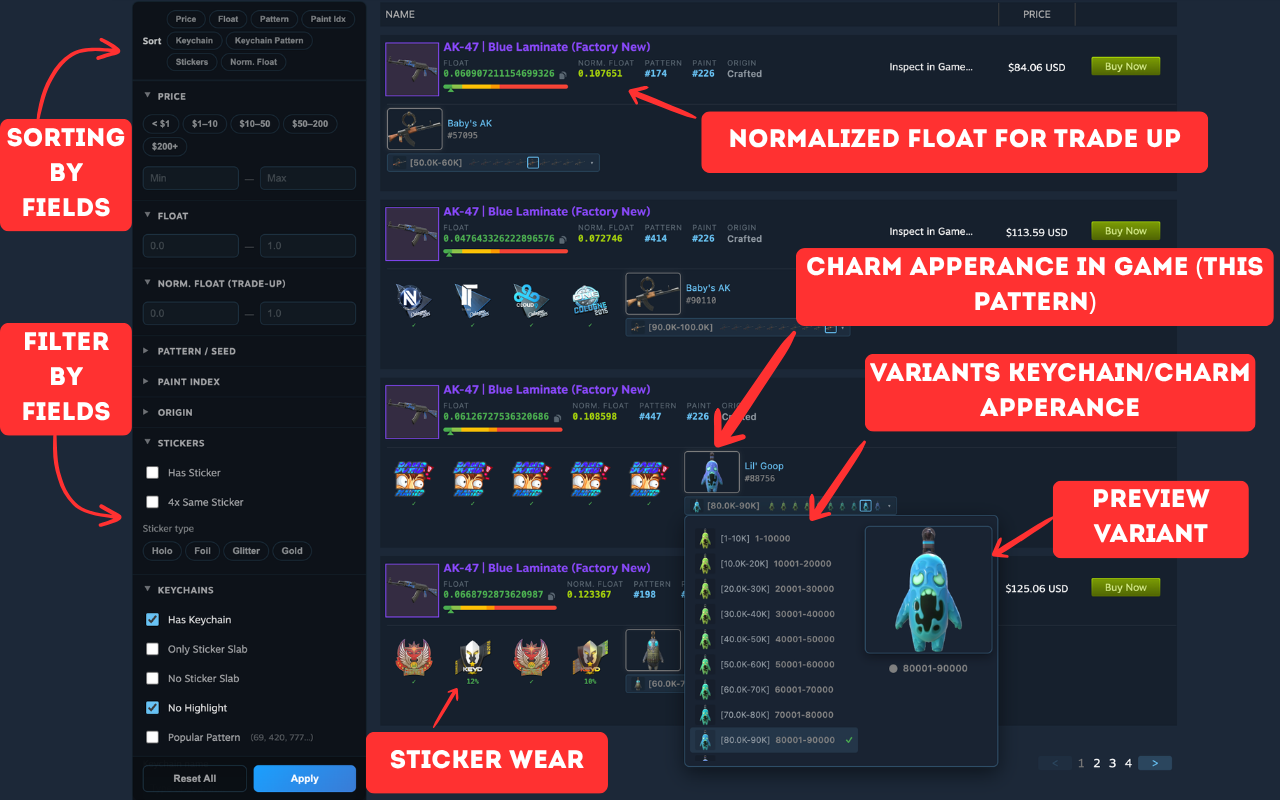
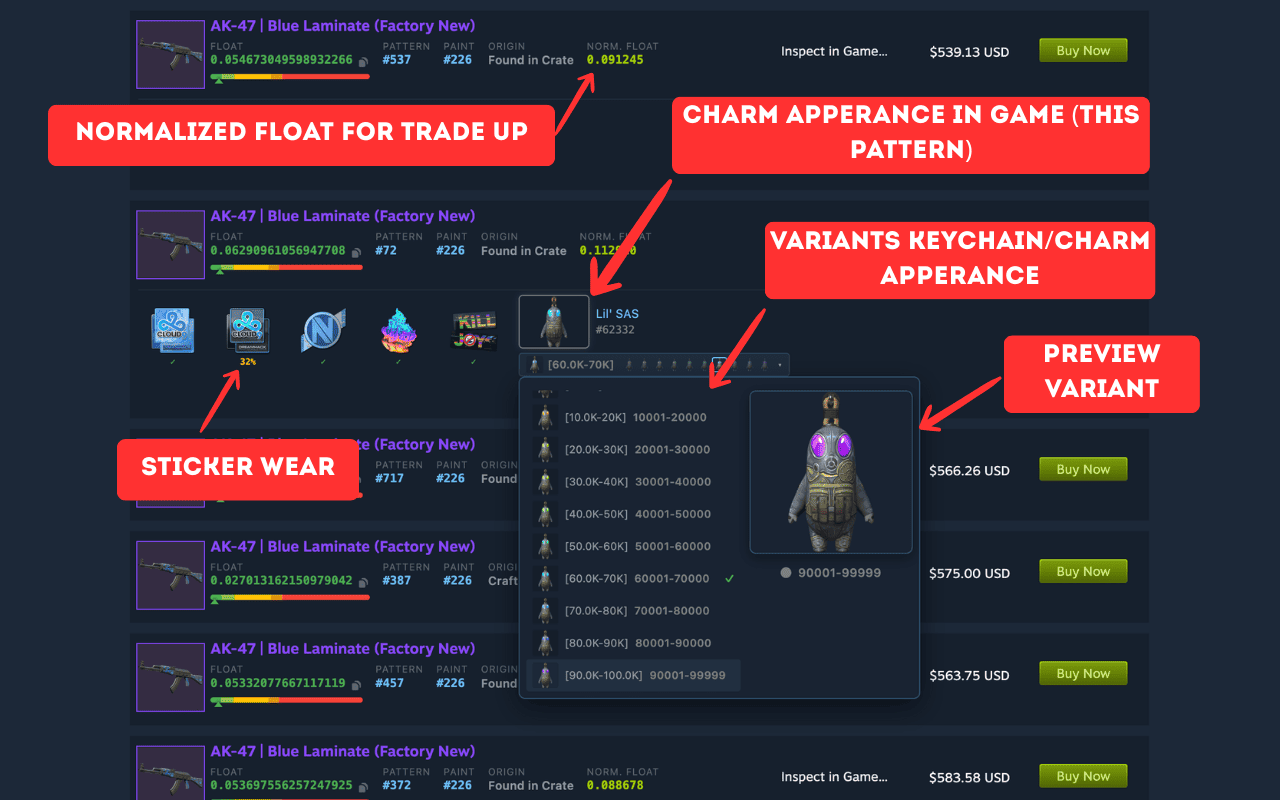
Instant Float Values
See precise float values with up to 14 decimal places directly on Steam Market listings. No extra clicks — values appear automatically as you browse.


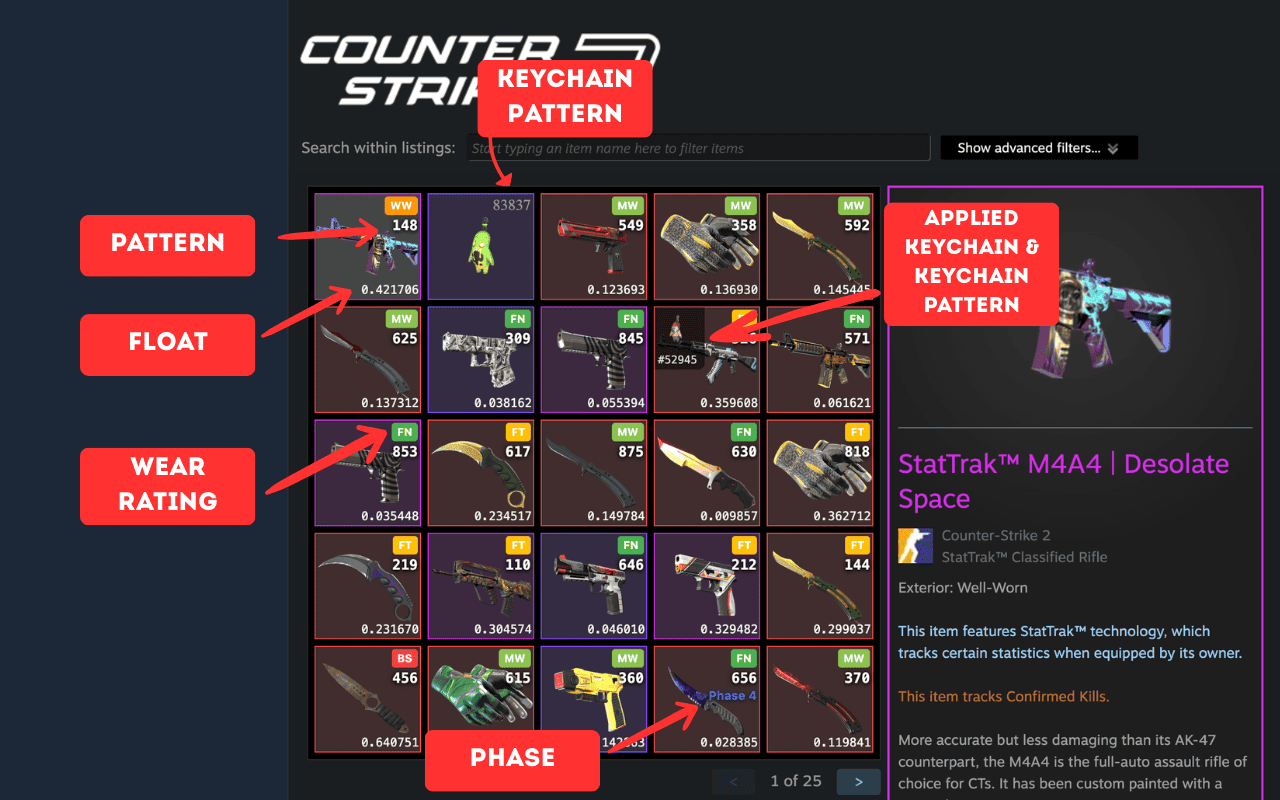
Your inventory, auto-annotated
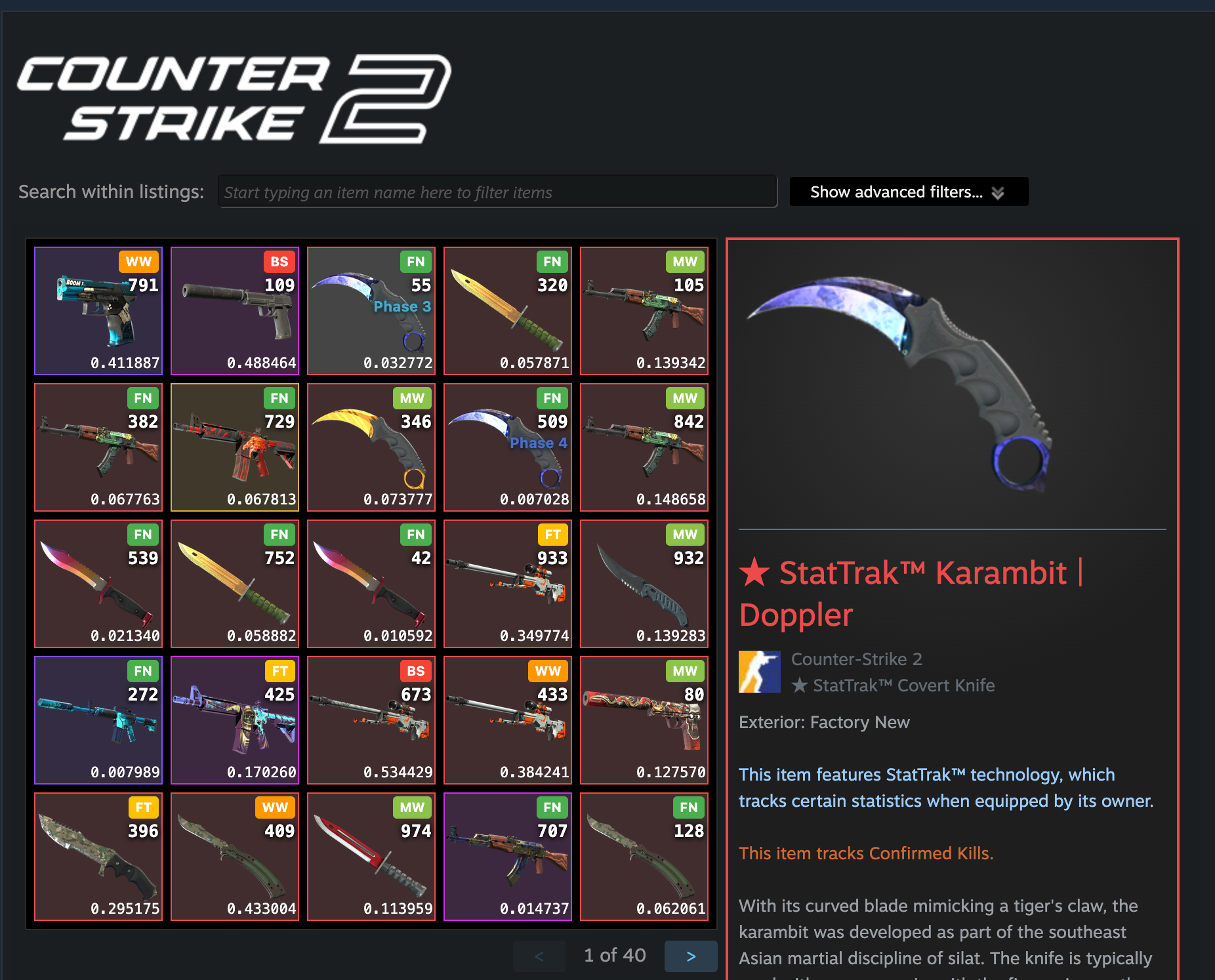
Every item in your Steam inventory shows float, pattern, wear rating, phase and keychain pattern automatically — no manual scanning, no clicks, no setup.
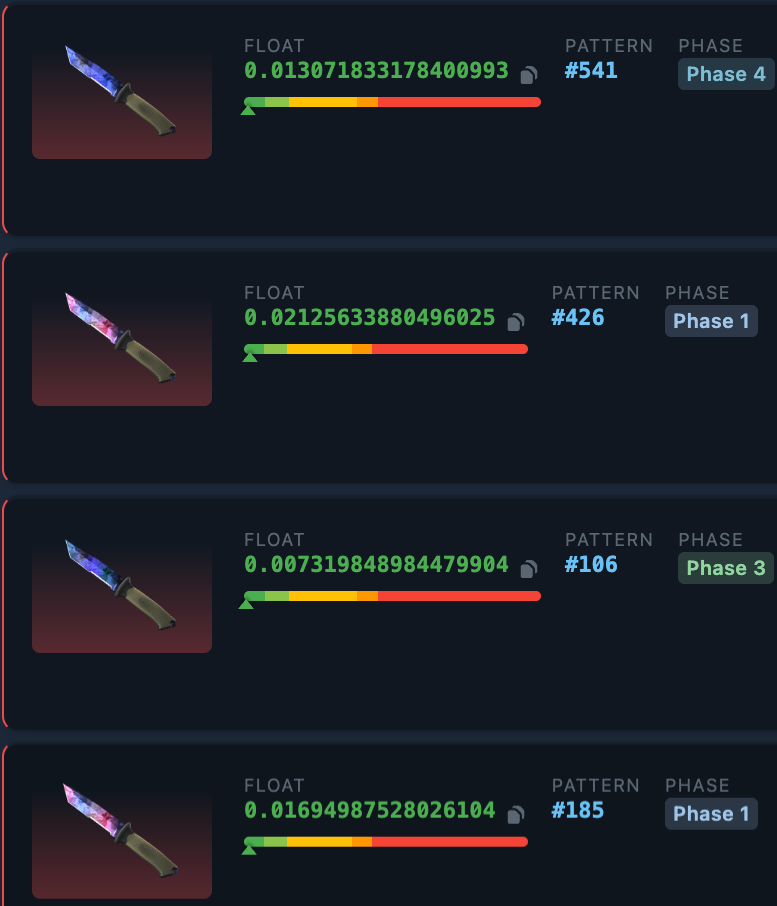
Patterns & Doppler Phases
Instantly see the Doppler phase (Phase 1–4, Ruby, Sapphire, Black Pearl) and pattern number for every knife and skin. No more guessing from thumbnails.
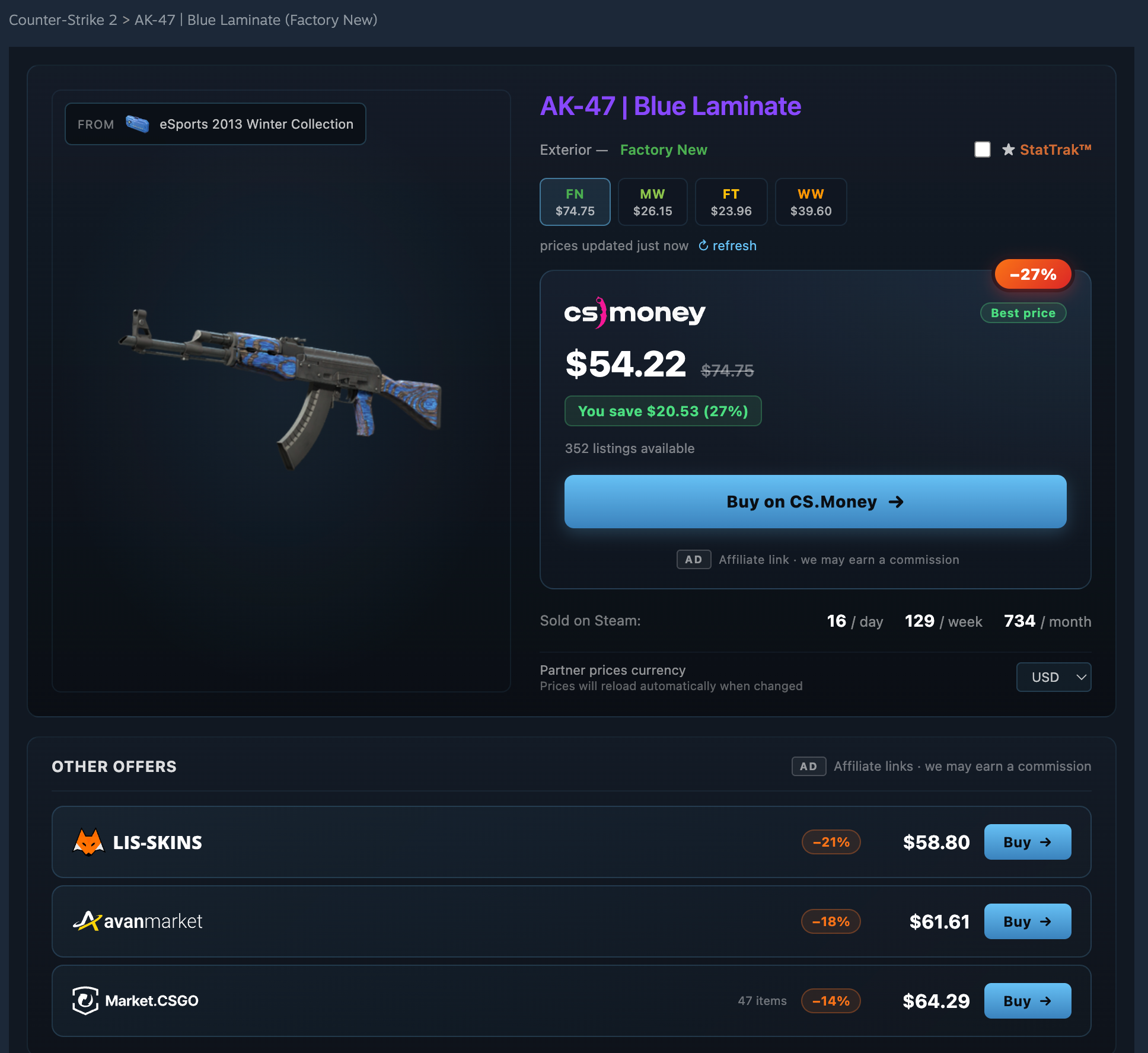
Best Prices from Partner Marketplaces
Instantly see the cheapest offers from CS.Money, LisSkins, AvanMarket and Market.CSGO — with savings up to 27%. No need to check each site manually.
See CSGOFloat in action.
Click any preview to jump to the live Steam page and see the extension running.
Three steps. Zero setup.
Install the Extension
Add CSGOFloat to your browser with one click from Chrome Web Store. No signup needed.
Browse Steam Market
Visit Steam Community Market or open any Steam inventory. Float values appear automatically.
Trade Smarter
Use float data, paint seeds, and price comparisons to find the best deals instantly.
Our partners




Frequently Asked Questions
Float value (also called wear value) is a number between 0 and 1 that determines the exact wear condition of a CS2 skin. Lower float means less wear and usually higher value. For example, a float of 0.001 is near-perfect Factory New, while 0.999 is heavily Battle-Scarred. Two skins with the same wear category can look very different depending on their exact float value.
The easiest way is to install the CSGOFloat Chrome extension. Once installed, float values will automatically appear on Steam Market listing pages and in any Steam inventory. No manual steps needed — just browse Steam as usual and see float values for every skin.
Absolutely. CSGOFloat only reads publicly available Steam data through official APIs. It never accesses your Steam account, password, inventory items, or any private information. It's completely VAC-safe — there's zero risk to your account.
CSGOFloat works on all Chromium-based browsers: Google Chrome, Microsoft Edge, Brave, and Opera. Simply install from the Chrome Web Store and it works across all supported browsers.
CSGOFloat provides 100% accurate float values retrieved directly from Steam's servers. We display the full float value with up to 14 decimal places of precision — the same data Steam uses internally.
You don't need to log in or connect any account. CSGOFloat works by reading publicly available data from Steam pages. Just install the extension and browse — no setup required.
Start checking floats
in one click.
Join 10,000+ traders who use CSGOFloat to make smarter CS2 skin trades.
